A stadium is empty for most of the week and full for three hours. Then twenty thousand people arrive within the same hour, and all of them want to know which gate, which kiosk and how long the queue is. Screens earn their place in those three hours. The rest of the week they sell season tickets, open the club shop and welcome the conference guests in the hospitality boxes.
This page covers what goes on stadium and arena screens, where to hang them, what a club ground and a large arena pay, and what easyCMS will not do for you.
The advantages
- Templates written for your sport: kick-off, tip-off, puck drop, half-time or intermission
- The next match, the score, team sheets and league tables, ready to fill in
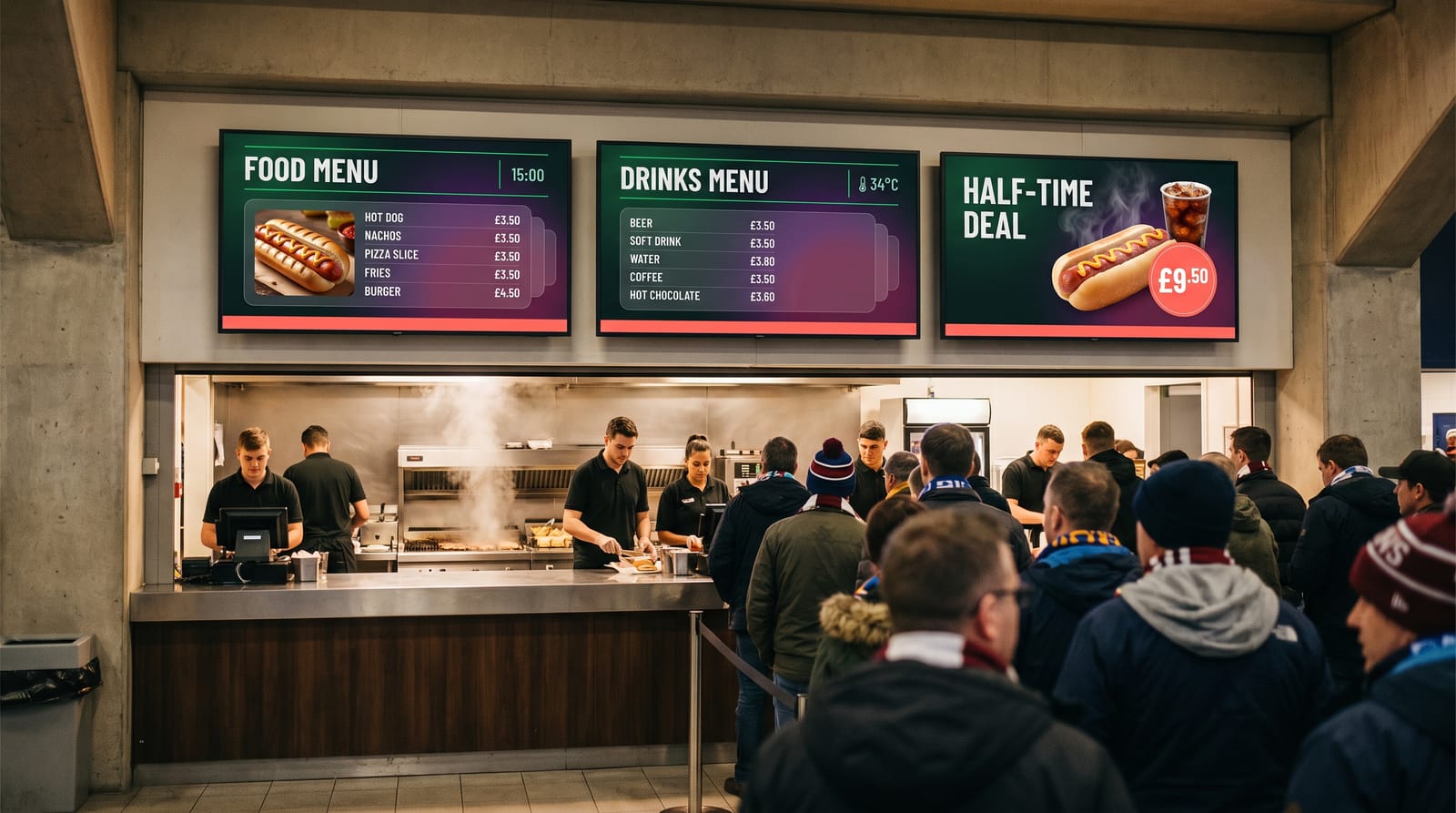
- Kiosk menus with big prices and a break-time deal, changed from a phone
- Directions to gates and blocks that a crowd can read from far away
- A different screen before the match, at the break and after the final whistle, by itself
- One urgent message on every screen in one action
- One-time licences, so a hundred screens do not become a hundred monthly bills
Templates for your sport
In easyCMS Studio you choose your business type once: Sports arena or stadium, then the sport. There are six: football, basketball, ice hockey, handball, rugby and volleyball. The sport changes the words, not the features. A football club gets a kick-off countdown and a half-time deal. A basketball arena gets tip-off and the quarter in the score line. An ice hockey rink gets puck drop, periods and an intermission deal. Each sport starts with sample teams, a full team sheet in its own positions and a league table in its own columns, so you can see a finished screen before you type a word.
Five designs are made for match day:
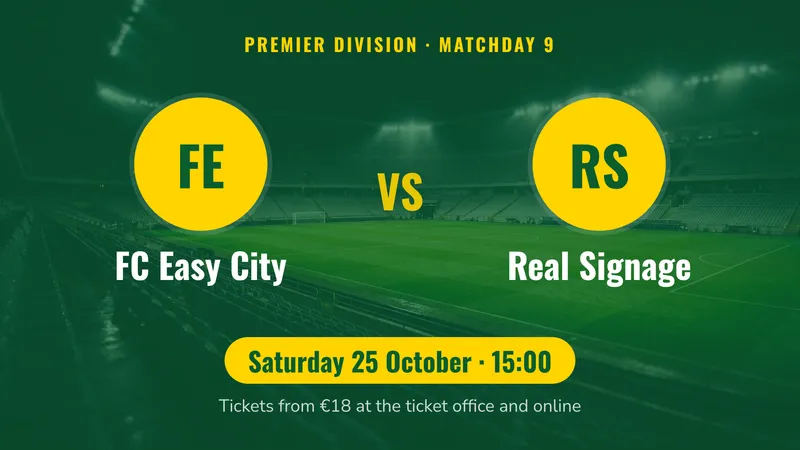
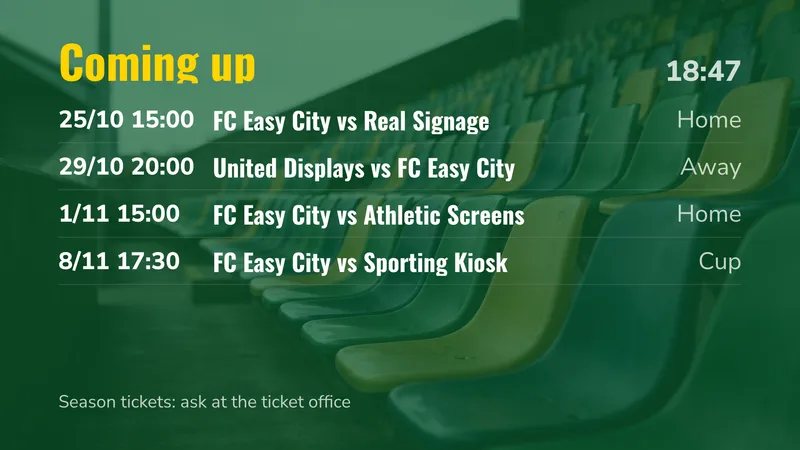
- Next match. Both teams with their logos, the competition, the date and kick-off time, and where to buy tickets. A team without a logo gets its initials in a coloured disc.
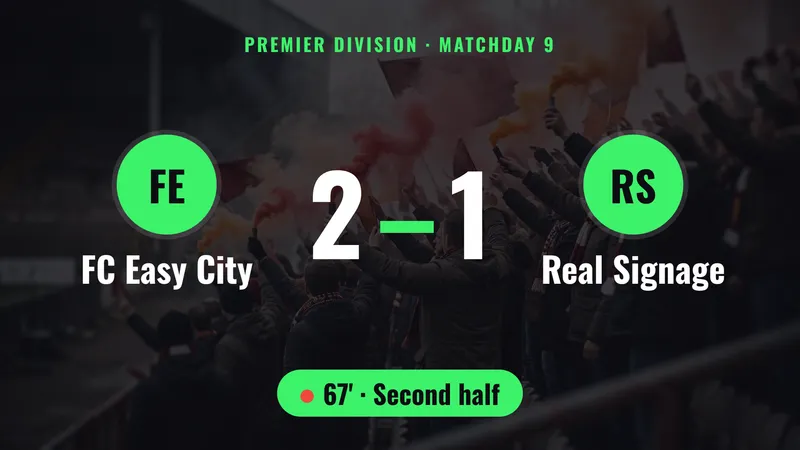
- Score. Both teams and a big score, with the minute or the period underneath.
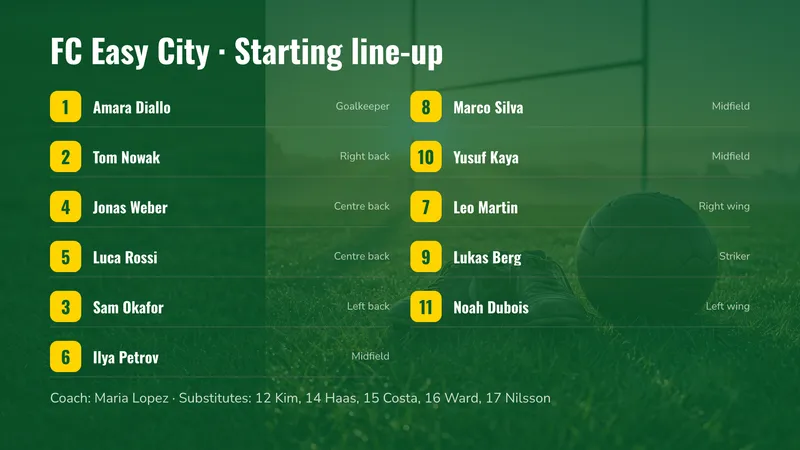
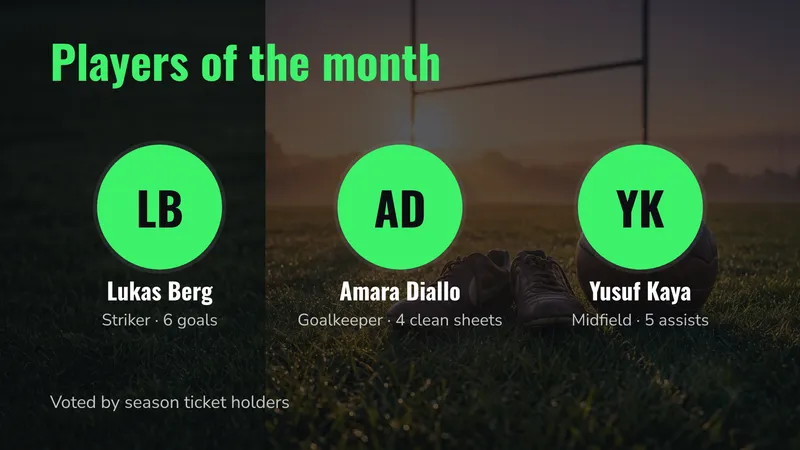
- Team sheet. Shirt numbers, names and positions, laid out in one, two or three columns depending on the squad size.
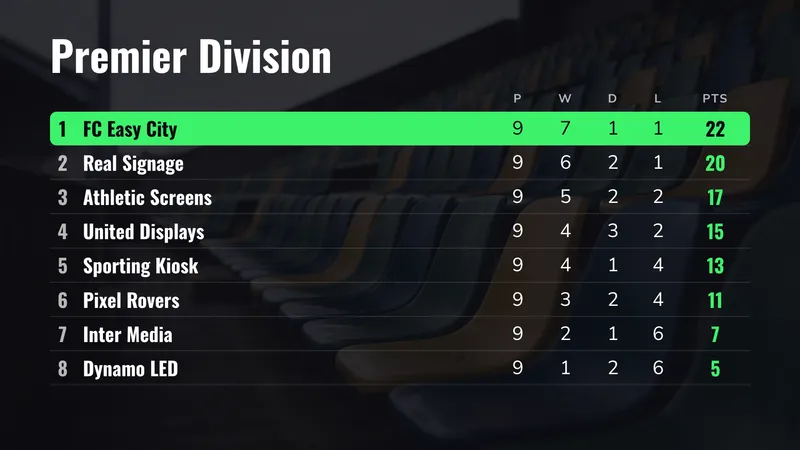
- League table. Positions and your own columns, with your team’s row highlighted.
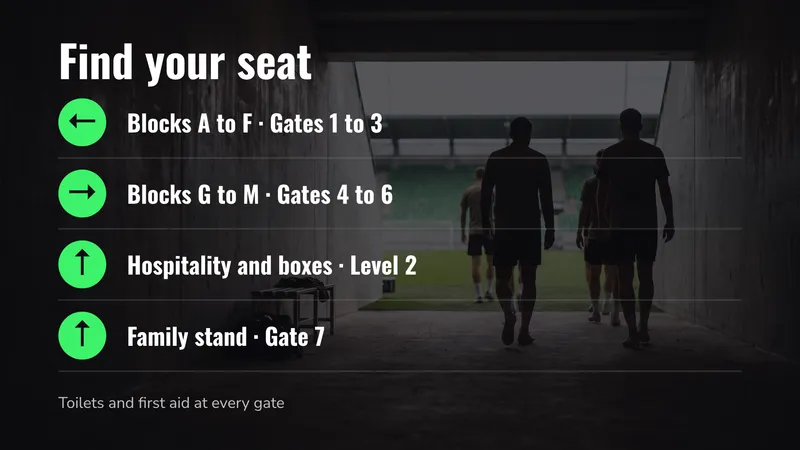
- Big arrow. One large moving arrow and one destination, such as “Gates 4 to 6”. It reads from the far end of a concourse.
Around those sit the templates every venue needs: the kiosk menu, a stand directory, a “which gate?” list, the way out after the match, last orders at the bars, season ticket progress, the club shop’s hours and a slideshow of partner logos. Every template is on the templates page. All of them work in landscape and portrait.
What actually goes on the screens
Before the match: get people to the right gate
A big arrow and “Blocks G to M” on every concourse pillar. If a gate closes, you change the screen, not the signs.
The kiosks: menus that sell at half-time
Food, drinks and one big break-time deal. Change a price once and every kiosk shows it; mark the pies sold out from your phone.
During the match: the score and the team sheet
Type the score on your phone and the concourse, bars and boxes show it. It is not a broadcast scoreboard. The team sheet goes up an hour before kick-off.
Match-day phases, scheduled once
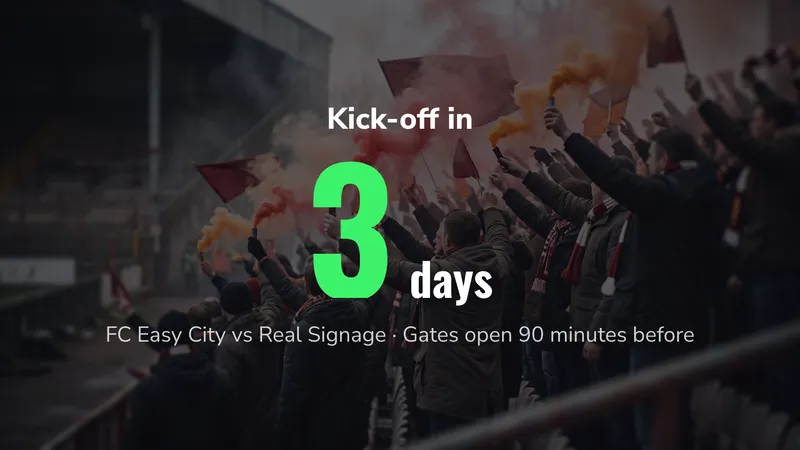
Gates open, first half, break, second half, the way out: the screens switch by themselves.
Urgent messages
A delayed kick-off or a closed gate on every screen in one action, and Stop puts everything back.
Non-match days
Season tickets, the club shop, a conference in the boxes, a concert. The screens need not be dark 300 days a year.
A typical match day:
| When | What the concourse plays | What the kiosks play |
|---|---|---|
| Gates open to kick-off | Next match, which gate, team sheet | Full menu |
| First half | Score, league table, season tickets | Full menu, short queue offers |
| Break | Score | The break-time deal, large |
| Second half | Score, partner logos | Menu, last orders |
| Final whistle onwards | The way out, transport, next home match | Closed, or next match |
| Non-match days | Season tickets, club shop, stadium tours | Off, or conference catering |
See scheduling content for how dated and repeating schedules sit on top of what a screen always plays.
Watch out Your stadium has a safety officer and a public address system for a reason. Screens support an announcement, but they are not an approved evacuation system. Agree with your safety officer which messages go on screens, who sends them, and keep the PA as the primary channel.
Where to put screens, and what size
| Location | Suggested size | Orientation | Job it does |
|---|---|---|---|
| Outside the turnstiles | 55”–75” high-brightness, or an LED wall | Landscape | Next match, which gate, queues |
| Concourse pillars | 43”–55” | Portrait | Big arrow, stand directory |
| Above kiosks | 3 × 43”–55” | Landscape | Menu, drinks, break-time deal |
| Concourse ceiling | 55”–65” | Landscape | Score, team sheet, league table |
| Bars and hospitality boxes | 43”–55” | Landscape | Score, welcome, menu |
| Club shop | 43”–55” | Portrait or landscape | Offers, new shirts, opening hours |
| Fan zone | LED wall or 75”+ | Landscape | Highlights video with a running line |
| Staff and stewards’ room | 32”–43” | Landscape | Briefing, contacts, gate times |
Two rules of thumb for crowds:
- Text has to be big. People read concourse screens from ten metres away while walking. At that distance letters need to be about 8 cm tall, roughly an eighth of the height of a 55-inch screen. That is why the sports templates use huge numbers and only a few words.
- Hang screens above heads. In a crowd the bottom edge of the screen should sit at about 2.4 metres, tilted down, or nobody behind the first row sees it. Screens above kiosks go higher still, over the counter.
Cold, damp, light and the match-day network
Stadiums are harder on screens than offices are.
Cold and damp
Open concourses get wet and freezing. Use semi-outdoor screens or an enclosure, and keep players out of the rain.
Daylight
In sunlight a normal screen disappears. Near the turnstiles use 2,500 nits or more, or an LED wall.
LED walls
Studio lays out a design for a wall of any size. The LED wall calculator helps you size one.
The network on match day
Stadium Wi-Fi struggles once the stands fill. Cable the players where you can; screens keep playing even when the network is busy.
Players
easyCMS runs on Windows, Android, LG webOS and Samsung Tizen. A screen with the player built in needs no box above a kiosk.
What it costs
Take a club ground with twelve screens: two kiosks with three screens each, three concourse pillars, reception, the club shop and the hospitality lounge.
| Line | Cost |
|---|---|
| easyCMS PRO account, up to 25 displays, 5GB storage, proof of play, 1 licence included | 299 EUR one-time |
| 11 × extra licence at 66 EUR, bought in the same order | 726 EUR one-time |
| Software total, paid once | 1,025 EUR |
Compared with two popular subscriptions, at their own list prices checked October 2026:
| Twelve screens | Year 1 | Five years | easyCMS breaks even after |
|---|---|---|---|
| easyCMS PRO, one-time | 1,025 EUR | 1,025 EUR | n/a |
| Yodeck Basic, EUR 8 per screen per month | 1,152 EUR | 5,760 EUR | about 11 months |
| OptiSigns Standard, EUR 7.50 per screen per month billed annually | 1,080 EUR | 5,400 EUR | about 12 months |
Licences added later are 99 EUR each instead of 66 EUR.
An arena with more than 25 screens goes on the Enterprise account: 1,290€ a year, plus 49€ once for each Android, LG webOS or Samsung Tizen screen. Windows screens have no licence charge. Enterprise also adds user roles, so the catering contractor can run the kiosk screens without touching anything else.
There is no free plan and no trial. Every price is on the pricing page.
What easyCMS will not do for a stadium
Worth reading before you buy, because these are the things venues ask for once the screens are up.
- There is no live score feed. The score, the team sheet and the league table are typed in, on a phone or a computer. easyCMS does not connect to a league’s data service, a broadcast feed or your scoreboard system.
- It does not drive your main scoreboard or perimeter LED boards. Those run on the manufacturer’s own controller. easyCMS can play on an LED wall that has a normal player input, but it does not replace a stadium scoreboard system.
- It is not a broadcast system. There is no live TV or IPTV channel distribution. A webpage or a video file plays, a live match feed does not.
- It does not connect to your ticketing or point-of-sale system. Sold-out items and prices are changed in the menu by hand, and queue lengths are not measured.
- Synchronised video walls are Android only, and user roles and permissions are Enterprise only.
- You are not an administrator of the CMS. We host it in the EU and look after the platform settings. Configuration changes come through us rather than a settings page you can reach.
- Support is human and it has hours. The free route is the assistant and the guides. If you need a person, an expert support hour is 25€, started the same working day when it is urgent, and refunded if the cause turns out to be a bug in easyCMS. We are not on call during your matches, so test your match-day schedule before the first home game.
Running it day to day
Who updates it
Usually the commercial or media team, plus catering. Before each match: the next match, the team sheet, gate changes. During it: the score.
Group screens by job, not by stand
All kiosks, all pillars, all hospitality screens: a new price reaches every kiosk in one action. Start from the stadium collection.
Check screens without walking the ground
See when each screen last checked in and what it is playing now, and find the dark one before the gates open.
Tip Run a full match-day rehearsal on a quiet afternoon. Open the gates schedule, switch to the break, send an urgent notice and stop it. A schedule tested once with an empty stadium will not surprise you with a full one.
Questions stadiums ask
Can the score update itself?
No. Someone types the score on a phone in Studio and sends it to the screens. There is no connection to live score data, broadcast feeds or your scoreboard.
We play several sports in one arena. Does that work?
Yes. The business type sets the sample words and the first templates you see, nothing more. You can browse the templates of every sport, and use a hockey team sheet on Saturday and a basketball one on Sunday.
What happens if the stadium network fails on match day?
Screens keep playing. Content is stored on each player, so the scheduled screens carry on. New changes, such as a new score, wait until the player is back online.
Can our catering contractor manage only the kiosk screens?
On Enterprise, yes. User roles let you give the contractor access to the kiosk screens and nothing else. The one-time accounts have no user roles, so anyone with the login can change every screen.
Do the screens above the kiosks each need a licence?
Yes, one per screen whatever its size. On PRO, a licence is 66€ if it goes through checkout with your account, or 99€ if you add it later. On Enterprise it is 49€ for an Android, webOS or Tizen display and nothing for Windows or Linux. There is no monthly fee per screen on any plan.
Working out what you need
Walk the ground on a match day: the turnstiles, the concourses, the kiosks, the bars, the boxes and the club shop. Write down the job of each screen and count them. That number decides between the 299€ PRO account and Enterprise, and it is the only figure we need to quote hardware.
Send us the list and we will tell you honestly whether easyCMS fits, including the parts it does not cover. Email info@myeasycms.com, call +48 509 937 137, or use the support request form. The features page lists what is available, and the guides for restaurants and bars and gyms and fitness may also help.