Most churches already have a noticeboard, a printed sheet and a group chat, and information still falls through the gaps. A screen in the entrance replaces none of that. It means the person who arrives ten minutes early reads something current instead of a poster for an event that happened in March. This page covers what belongs on a church screen, who keeps it updated when the person who built it is away, what it costs once, and what easyCMS deliberately does not do.
Why churches and easyCMS tend to fit
Churches and parishes usually share three things: a small budget, a rota of volunteers rather than paid staff, and a treasurer who has to justify every recurring line to a council. That is the buyer easyCMS is priced for.
- Licences are bought once and kept, so there is no renewal to defend next year
- One account covers up to five displays, which is more than most buildings need
- The guides and the AI assistant are free to everyone, with no account and no ticket
- Content is cached on the player, so a weak connection in a thick-walled building does not blank the screen
- A volunteer can make a weekly change in a browser in about five minutes
- Runs on Windows, Android, LG webOS and Samsung Tizen, so you can often use hardware you already have
Watch out easyCMS is not worship presentation software. It does not run live lyrics, liturgy slides or sermon points during a service, and it is not a substitute for the dedicated presentation software on the laptop at the back. easyCMS is for the notices that run the rest of the week. There is more on this below, before you buy anything.
What actually goes on the screens
A church screen fails when it becomes a slideshow of stock photographs. It works when each panel answers a question a real person walked in with.
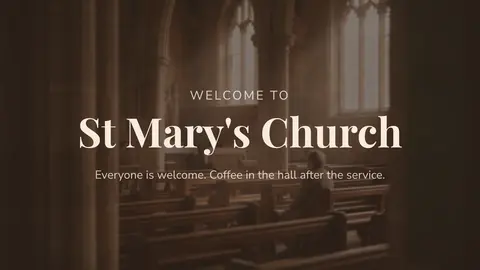
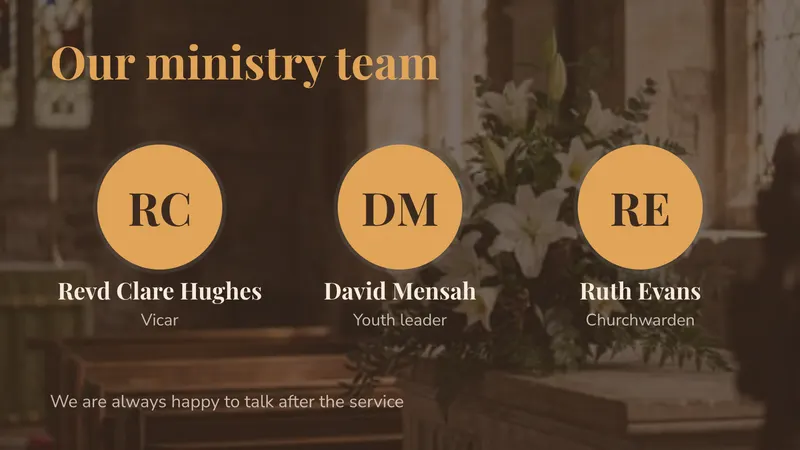
Welcome and this week’s notices
Service times, what is on this week, who to speak to and where the accessible entrance is. For a first-time visitor, it makes all the difference.
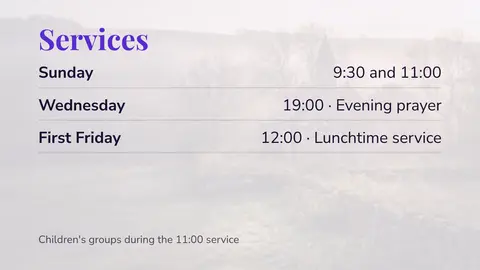
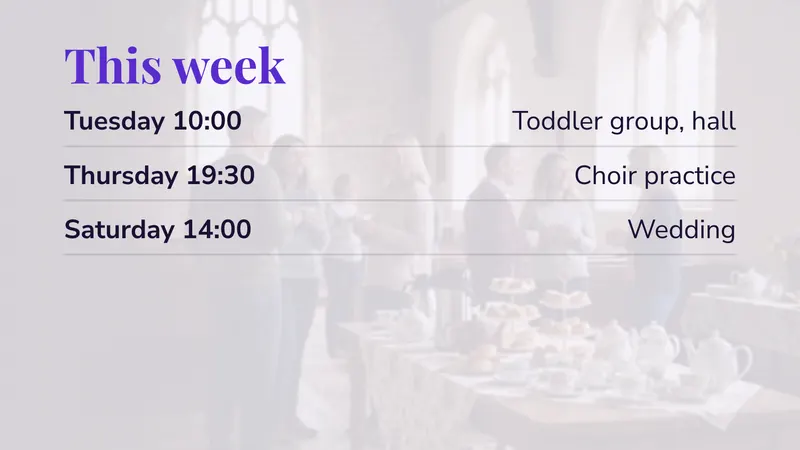
Service times and the week’s calendar
The screen reads the week from your calendar’s iCal link, so nobody retypes events. No iCal link? Type them into a simple table instead.
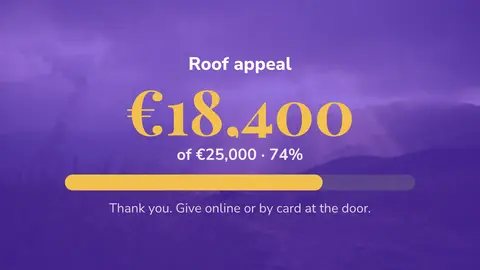
Announcements, appeals and giving information
Building fund progress, appeals and how to give online. People are too polite to ask, but happy to read it on a wall.
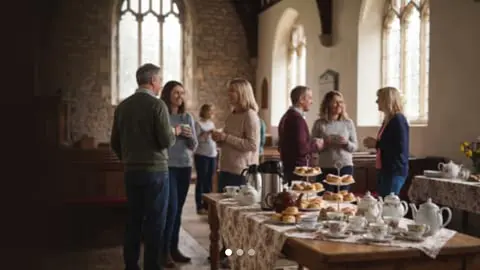
The hall, the crèche and the coffee area
Room bookings and fire exits in the hall, the sign-in steps in the crèche, photos and rotas in the coffee area.
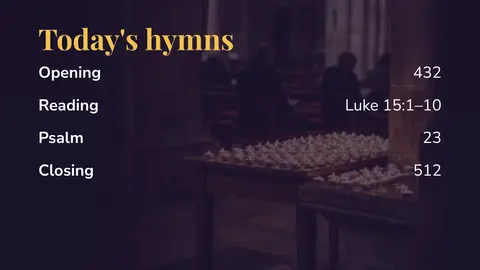
Hymn numbers and reading references
Keep hymn numbers and readings in a simple table, one row per service. Edit a row and the screen follows. See dynamic content and DataSets.
Scheduling is separate from content, so the entrance screen can run a service layout on Sunday morning, a quiet notices loop on weekday afternoons, and nothing at all overnight. See scheduling content.
Where to put a screen, and what size
A church can start with one screen and add a second later if the first one earns its place. These are the placements that tend to be worth the cable.
| Location | Suggested size | Orientation | Job it does |
|---|---|---|---|
| Entrance or porch | 43”-55” | Portrait | Welcome, service times, this week |
| Back of the nave or narthex | 49”-55” | Landscape | Notices before and after a service |
| Church hall | 55”-65” | Landscape | Bookings, hirer information, group notices |
| Coffee area | 43” | Landscape | Photographs, rotas, sign-ups |
| Crèche or children’s room | 32”-43” | Landscape | Sign-in, safeguarding, leaders on duty |
| Outside-facing window | 49”-55” high brightness | Portrait | Service times for passers-by |
Two practical notes. Screens in historic or listed buildings are a permissions question before they are a technology question, so check what your denomination or the relevant heritage body requires before you drill anything. And a screen behind glass facing a street needs a high brightness panel or it will be washed out on a sunny day, which our guide to LCD displays for digital signage covers.
The volunteer handover problem
This is why church screens go dark. One capable person builds something good, then moves away, and nobody else dares touch it because the design looks one wrong click from being ruined.
The fix is to separate the design from the words, and easyCMS is built that way.
- One person builds the layout once: zones, fonts, colours, the logo, where the text sits.
- The changing content lives in a DataSet, a media folder or the calendar feed, not in the layout.
- Everyone else edits a row in a table or drops a new image in a folder. The layout is never opened.
Anyone who can fill in a spreadsheet can then keep the screen current for years without learning a design tool. Write the steps on one side of A4, put it in the vestry folder, and the handover is done.
Tip Do the first build with two people in the room. The second one does not need to design anything, only to have watched it happen and to hold the written instructions afterwards.
One honest caveat: separate logins with roles and permissions are an Enterprise feature. On the 49€ and PRO accounts there is a single login, so volunteers share one set of credentials and anyone with the password can edit anything. That is another reason to keep the changing content in a DataSet, where a mistake is one row rather than the whole layout.
What it costs
One screen in the entrance is the easyCMS account at 49€, once. That is the whole software bill.
For three screens, in the entrance, the hall and the coffee area:
| Line | Cost |
|---|---|
| easyCMS account, includes 1 licence | 49 EUR one-time |
| 2 × extra display licence in the same order at 66 EUR | 132 EUR one-time |
| Software total, paid once | 181 EUR |
Most other platforms charge per screen per month:
| Three screens | Year 1 | After 5 years |
|---|---|---|
| easyCMS | 181 EUR | 181 EUR |
| Yodeck Basic at 8 EUR per screen per month | 288 EUR | 1,440 EUR |
For a church council the point is simple: you pay once and the line disappears from the budget.
- Licences added later are 99€ each instead of 66€, so if you know you want three, buy the three together.
- Hardware: a spare Windows PC can run the screen with our free player software. Or an easyCMS Android player is 499€, arrives set up and includes the licence for its screen.
- Free options exist. Yodeck runs one screen free, and OptiSigns three with their logo on your wall. easyCMS has no free plan, but you get real email and phone support.
Every price is on the pricing page.
What easyCMS will not do
The honest list, so nobody buys the wrong thing.
- It is not presentation software. No live lyrics, no liturgy slides, no sermon points advanced by a person at the back. Worship presentation needs dedicated software on a laptop connected to the projector. easyCMS drives the notices screens, and it is cleanest to keep the two jobs on separate displays.
- No charts widget, and no social feed beyond Mastodon. There is no Twitter or X widget. If you want giving progress as a thermometer, make it an image and update it monthly.
- 1GB of storage on the 49€ account suits images and short clips, not a library of full-length video. The PRO account has 5GB. See storage quota and media uploads.
- No free trial and no free plan. The account is 49€ and that is the entry point.
- You are not an administrator of the CMS. easyCMS hosts and runs the platform for you in the European Union, so there is no server to patch and no settings screen for you to break. If something needs changing at that level, email us.
Running it week to week
Who does it
One volunteer, about ten minutes a week, plus whoever keeps the calendar. Name a deputy too, and write the steps down.
How often
The calendar updates itself. Notices and hymn numbers weekly, photos monthly, design rarely.
When the internet drops
Nothing visible happens. Screens keep playing and catch up when the connection returns.
Checking it from home
See when each screen last checked in and what it is playing, handy for a hall you visit once a week. See display monitoring.
Getting started
Connect your first display, then pick a template from the church collection.
Questions churches ask
Can we use it for song lyrics during the service?
No. That is presentation software, and easyCMS does not do it. Use dedicated worship presentation software on a laptop for the service, and easyCMS for the entrance and hall screens the rest of the week.
Can it show the hymn numbers before the service starts?
Yes, and this is the right way round. Put the numbers in a DataSet and schedule that layout to appear before the service, then hand the projector over to the presentation laptop when the service begins.
Is there anything to pay every year?
No, unless you choose the Enterprise account, which is the only annual plan and is aimed at organisations running more than 25 displays. Church licences are one-time and lifetime.
Do we need a computer for each screen?
One display licence per screen. The player can be a small Android box, a Windows PC, or an LG webOS or Samsung Tizen commercial screen that runs the player inside the panel with no separate box at all.
Do you offer a discount to churches?
We have no standard discount. Licences are paid once, and screens bought in the same order as the account are 66€ instead of 99€. For a larger project, email us and we will look at it with you.
Working out what you need
Tell us how many screens you are thinking about, roughly where they go, and whether you already have hardware or a spare PC. We will come back with a firm figure and an honest answer about whether one screen in the porch is enough to start with. We are a European company, DynamicDigital sp. z o.o. in Warsaw, Poland, VAT PL5213678094, and a VAT invoice is issued for every purchase.
Email info@myeasycms.com, call +48 509 937 137, or use the support request form. You can also browse the full feature list, or read what digital signage is if you are still deciding whether a screen is the right answer at all.