Storage Quota and Media Uploads
How much cloud storage each easyCMS plan includes, what to do when an upload fails or the library is full, and how to compress video so it never becomes a problem.
Every easyCMS account has a storage quota for its photos and videos. Running out is almost always caused by a few uncompressed videos, not by the number of files.
What each plan includes
| Plan | Cloud storage | Displays |
|---|---|---|
| easyCMS account | 1 GB | up to 5 |
| PRO account | 5 GB | up to 25 |
| Enterprise account | 20 GB | 25+ |
There is no limit on the number of files, but there is a maximum size per upload and per image. If a real file is refused for size, tell us what it is. The storage calculator estimates what you need.
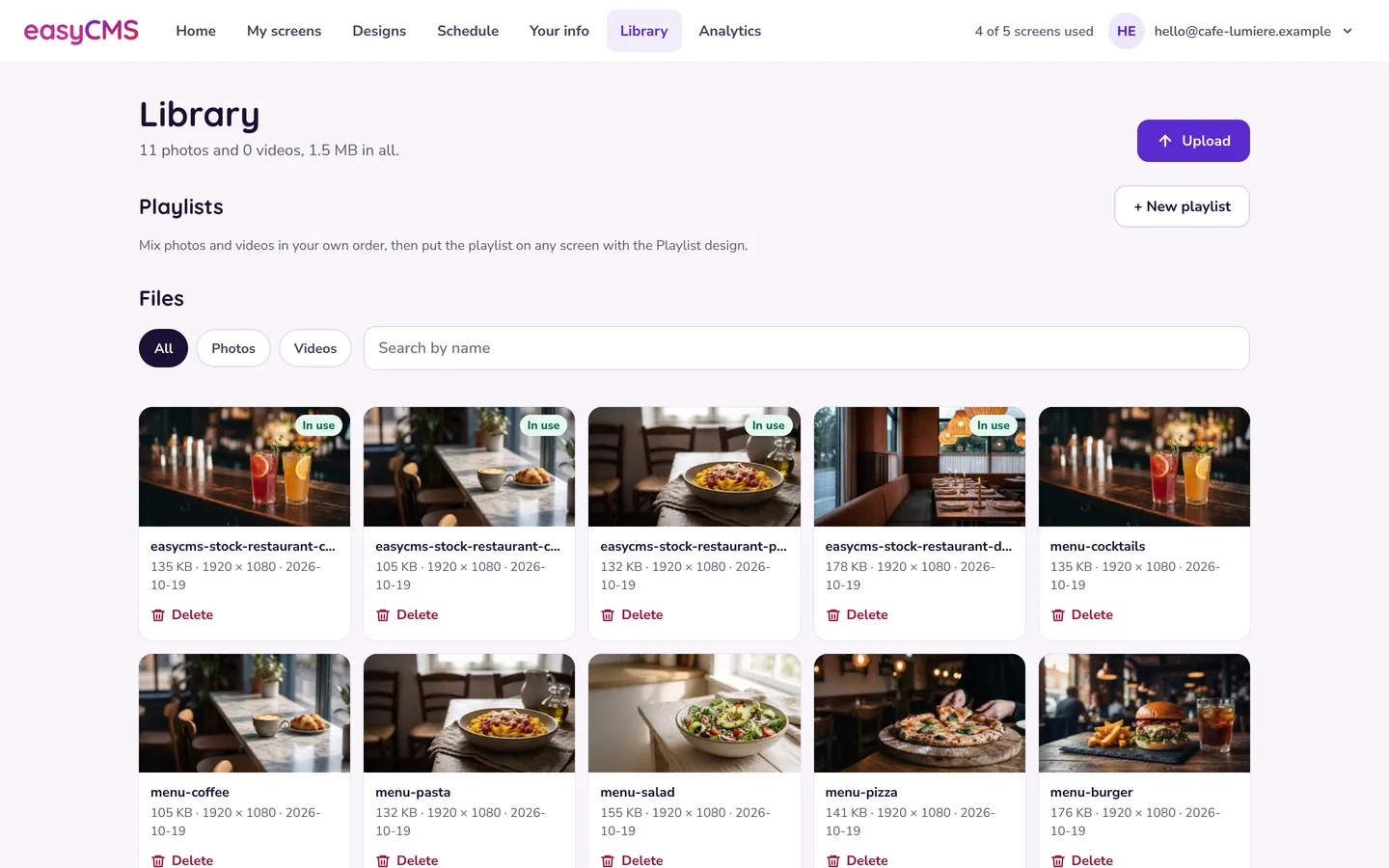 Studio’s Library shows how many photos and videos you have, and their total size.
The library is full
The upload is refused and nothing is lost. Then:
- Delete what you no longer use. In Studio’s Library, tap Delete under a file. A file marked In use stays until you take it out of the design or playlist using it.
- Compress your videos (below). A typical video shrinks by 80–90% with no visible difference.
- Upgrade the plan if you really need more space.
Deleting frees the quota at once; players drop their copy at their next check-in.
Compress video before uploading
The most useful habit in digital signage. Re-encode with HandBrake (free):
| Setting | Value |
|---|---|
| Format | MP4, H.264 |
| Resolution | 1920 × 1080 at most |
| Bitrate | 2–6 Mbps |
| Audio | AAC 128 kbps, or none for silent content |
| Web optimised | On |
A 30-second clip should be 10–20 MB, and it also plays more smoothly: see videos will not play or stutter. Resize photos to the size they show at, as JPEG at about 80% quality.
An upload fails or stalls
| Symptom | Likely cause and fix |
|---|---|
| Times out | Very large file on a slow line. Compress it first. |
| Refused straight away | Not a photo (JPG, PNG, GIF, WebP) or video (MP4, WebM, MOV). Animated GIFs upload but do not animate: use a short MP4. |
| An image uploads, then vanishes | Over the maximum pixel size. Resize and try again. |
| A video does the same | Container or codec problem. Re-encode to H.264 MP4 with AAC audio. |
| An error that looks technical | On Enterprise, that user may lack upload rights or have a lower quota of their own: see users and permissions. |
In the advanced editor
The classic Library > Media helps with a big clear-out:
- Sort by size, largest first: the top five files are usually most of the quota.
- A file’s usage report (row menu) shows what holds it. Retire it to keep existing layouts working, or delete it and fix them.
- When a player itself is out of space, the delete form can push the removal straight to the screens.
Tip Delete a campaign’s files when it ends, keep master copies elsewhere, reuse one video rather than near-identical versions, and review the Library once a quarter.
Related articles: Playlists and the Media Library, Videos Will Not Play or Stutter, Users and Permissions