Display Monitoring
Monitor your easyCMS screens from your phone, online status, screen health, pictures on demand, offline alerts and proof-of-play reports in Studio's Analytics.
Know your screens work without driving out to look. Studio shows it all on your phone.
Check every screen
- Open Home in Studio. Needs a look lists screens that are offline, short of storage, missing files or reporting a problem.
- Open My screens. Each screen shows Online or Offline, what it is showing, and whether it Has all its content.
A screen can be online and still show old content while it is Downloading new content…. Wait for Has all its content before deciding something is broken.
Look closer at one screen
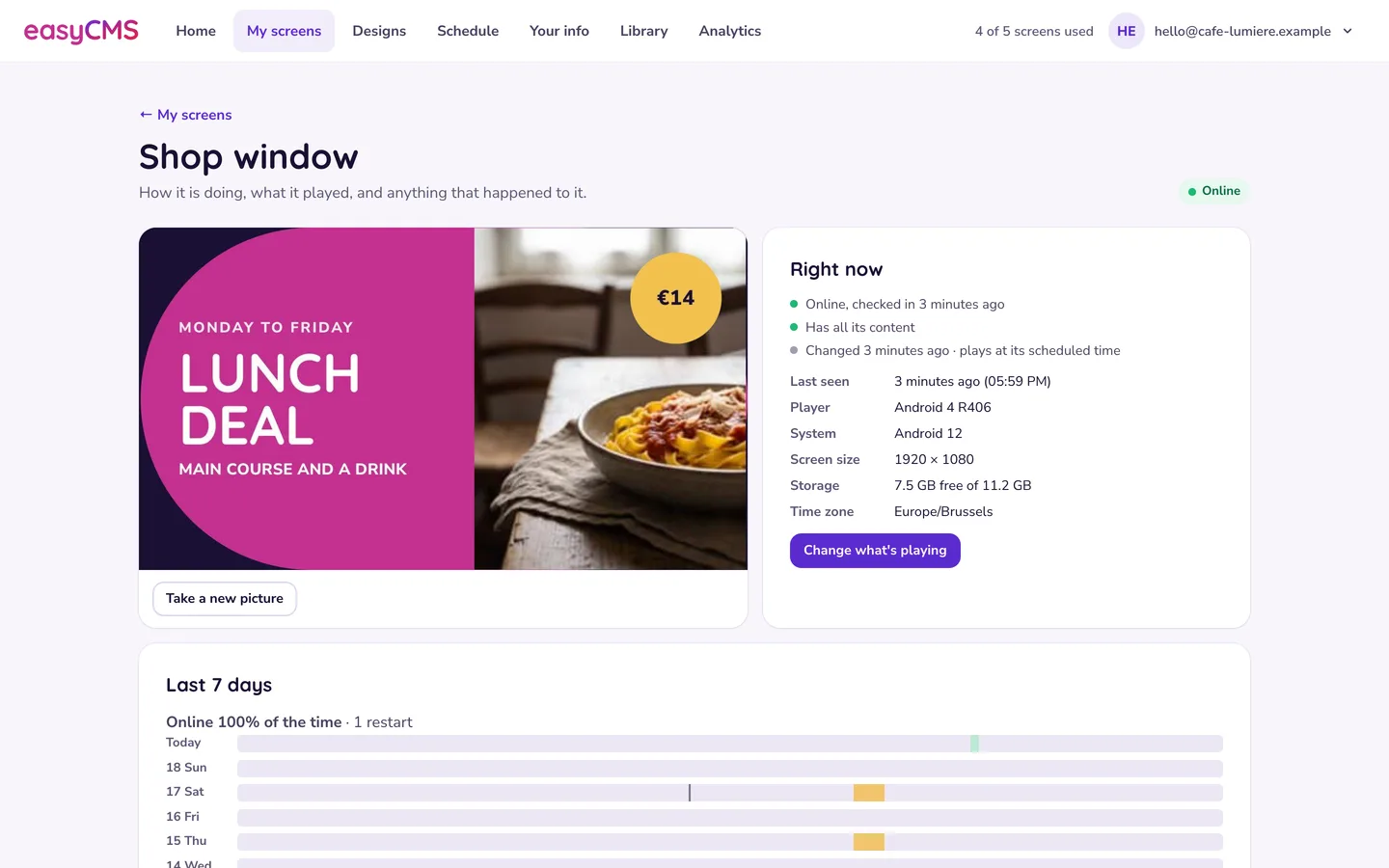
On My screens, tap Details on the screen:
- Take a new picture shows what is on the screen now. Some players send it only at their next check-in.
- Right now shows its last check-in, player, screen size, free storage and time zone.
- Last 7 days shows time online, time offline and restarts.
- What happened lists events in plain words, such as lost power or a lost internet connection.
Studio has no restart, clear-cache or command button: send a support request with the screen’s name.
Prove what played
Analytics in Studio’s menu shows every design, photo and video your screens showed, and for how long. Choose the dates and screens, view by Designs, Photos & videos or Screens, then Download CSV or Print or save as PDF. It comes with every plan, the 49€ account included. The last half hour may not be counted yet.
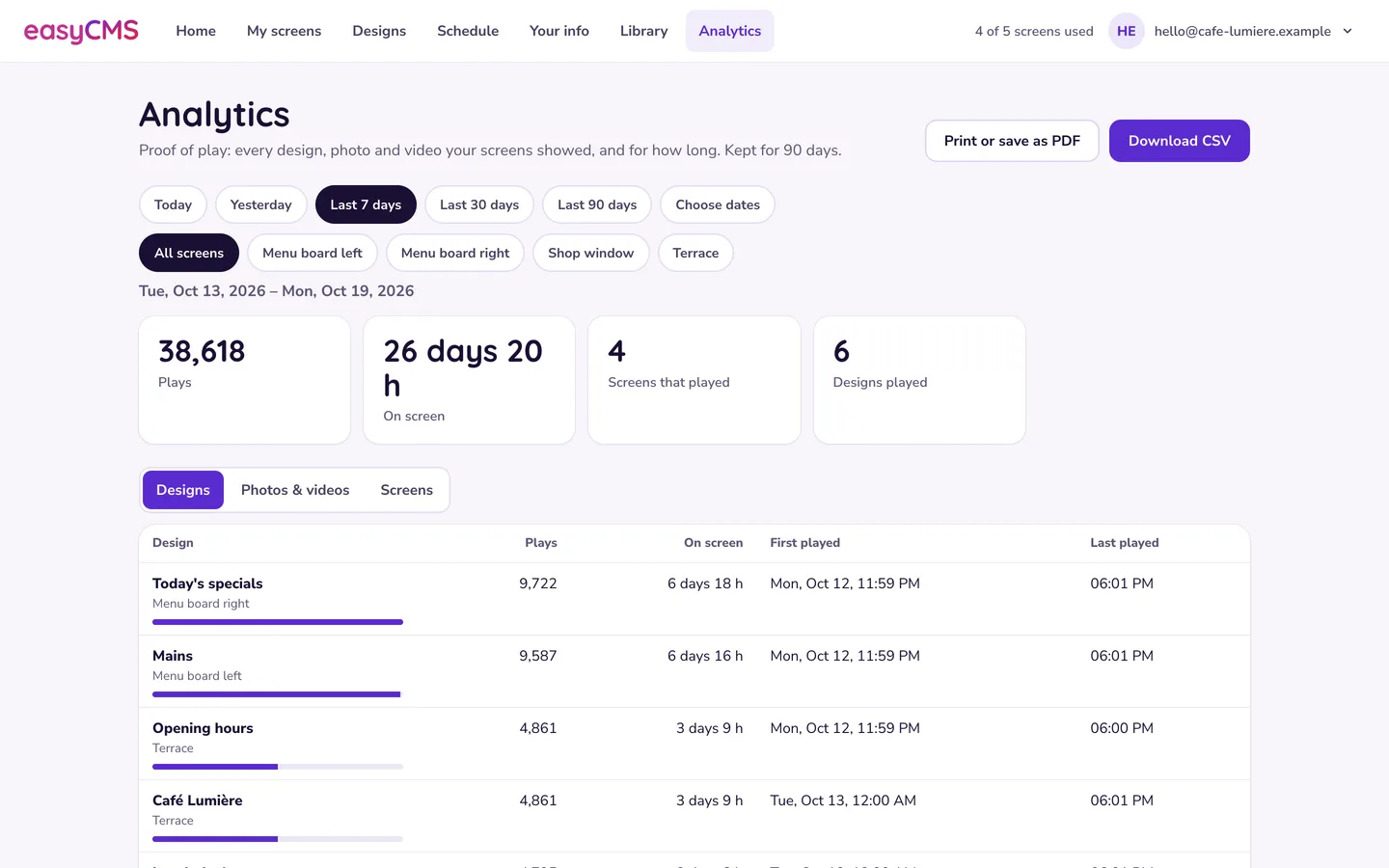
Watch out Play statistics are kept for 90 days. Download what you need to keep longer, for example at the end of each campaign. Nothing older can be recovered.
Email alerts when a screen goes quiet
The alert setting covers the whole account and sits in an area your login does not open. Tell us which email address should get the alerts, and how long a screen may be silent first. Keep that time above the check-in interval, or every screen alerts during a normal check-in.
Players check in at a set interval and play from their own storage in between. A screen quiet for a few minutes is between calls. Worry when it misses several in a row.
In the advanced editor
The Displays page in classic easyCMS shows Logged in, Download status and Last accessed per screen. Last accessed minutes ago: look at your content or schedule. Hours or days: power or network at the site. Weeks: see player licence problems. The row menu has Request screenshot; if pictures only arrive at the next check-in, see Collect Now Does Nothing. Classic reports are under Reporting > All Reports.
Related articles: Display Shows as Offline, Display Is Online but Content Never Changes, Reading the Player Status Window, Storage Quota and Media Uploads