Exchange Rate Board Software for US Currency Exchange Stores
We Buy and We Sell rates in dollars on your window and counter screens, worked out from the official daily reference rates with your own margins, or locked at the rates you type. English and Spanish on the same board, gold and silver by the gram, and no monthly fee per screen.
Your We Buy and We Sell rates go on the window and counter screens, and on your website, from one table you change on your phone. They follow the official daily reference rates with your own margin, or stay exactly as you type them. Two screens cost about $352, once.
The advantages
Rates in dollars
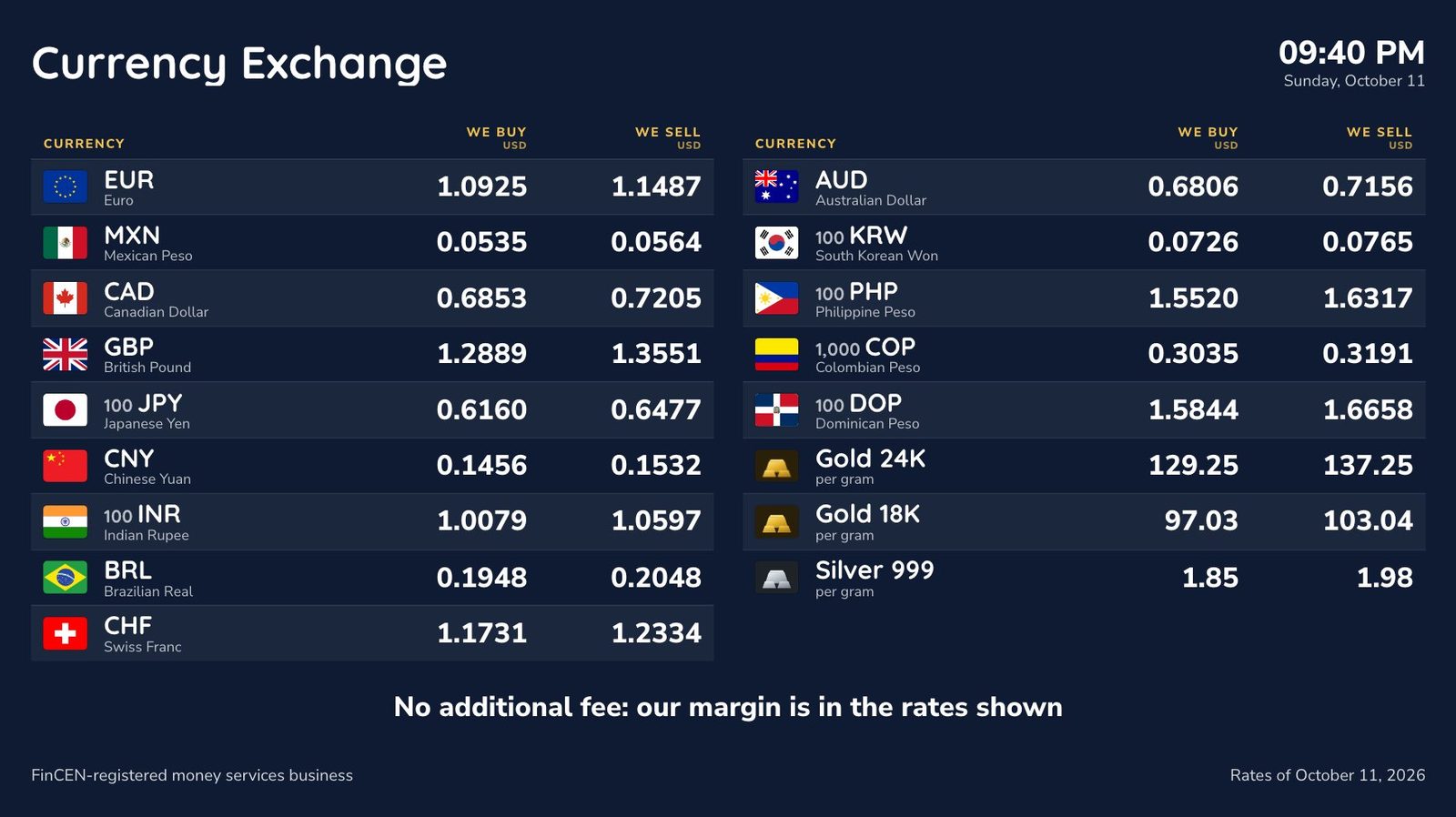
We Buy first, then We Sell, for up to 60 currencies with flags and names, from the euro to the Mexican peso.
No rows of zeros
The yen, the won and the Colombian peso read per 100 or per 1,000.
English and Spanish
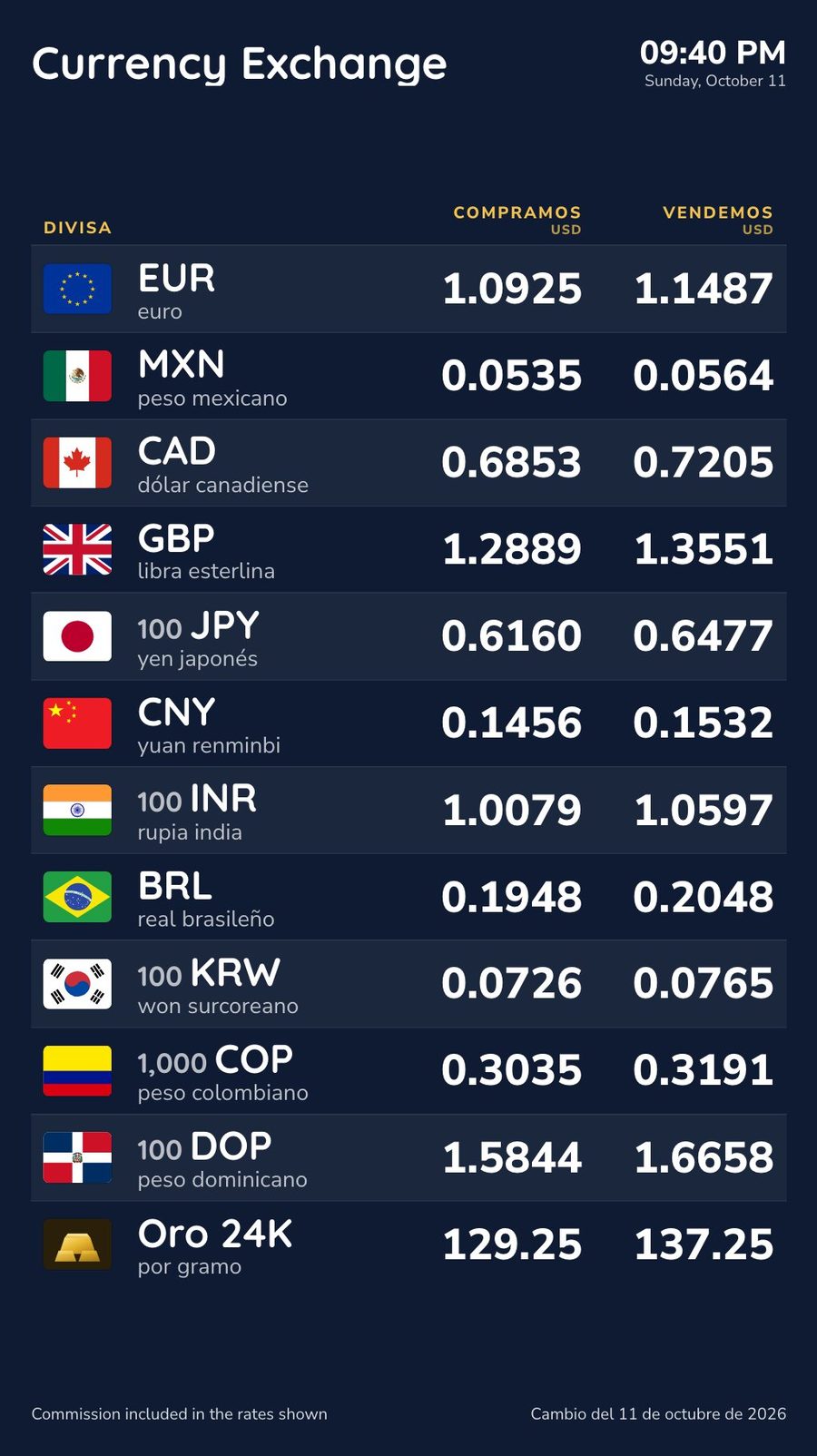
The board takes turns every six seconds: We Buy and Compramos, Mexican Peso and peso mexicano. Labels come in 14 languages.
Gold and silver by the gram
24, 22, 18 and 14 karat gold and silver 999, each with its own margins.
A fee line as large as the rates
A fee or a “no additional fee” statement is as readable as the numbers, with a footer for your registration or license details.
Several stores, one place
Stores share one rates table or keep one each. A mall kiosk and an airport store can price differently.
On your website
Switch on “On your website” for a page you link to from Google Business Profile or put inside your site.
Rates read as dollars per foreign unit (1 EUR = 1.09 USD) or, for the whole board, foreign units per dollar (1 USD = 18.20 MXN). The five designs, from window board to LED ticker, are on the exchange rate board templates page.
How the rates are worked out
Each working day the European Central Bank publishes reference rates for the dollar against about 30 currencies; other central banks cover the rest, gold and silver included, through the open-source Frankfurter service. easyCMS checks every hour. For each Automatic currency, Studio takes your buy margin off for We Buy and adds your sell margin for We Sell, rounding We Buy down and We Sell up. For the euro with a 2% margin each way:
| Euro | Rate |
|---|---|
| Reference rate, October 9, 2026 | 1.1206 USD |
| We Buy: 2% less, rounded down | 1.0981 USD |
| We Sell: 2% more, rounded up | 1.1431 USD |
If you price from your wholesale bank or reprice through the day, set currencies to Locked and type your rates; one button locks them all at today’s values. You do this on the Exchange rates page in Studio, and screens update within a few minutes. Try a margin first with the free exchange rate margin calculator.
What the rules ask
We found no federal rule on what a rate board must show, and none in Florida, Texas, New York or California requiring posted rates. The rules are about who may exchange currency, and not misleading customers. Not legal advice.
FinCEN registration
Over $1,000 for any person on any day makes you a money services business: register within 180 days, renew every two years (31 CFR 1010.100(ff)(1), 1022.380).
Bank Secrecy Act
CTRs above $10,000, records above $1,000 kept five years (31 CFR 1022.410), SARs from $2,000, a written AML program.
State licensing
Florida needs a license (Fla. Stat. 560.303). Texas licenses under Finance Code ch. 152, with a posted complaint notice (7 TAC 33.51).
New York and California
Neither licenses in-person currency exchange on its own. Check your state’s regulator.
No misleading claims
Section 5 of the FTC Act. No “no fee” or “0% commission” when your margin is in the spread; Studio warns you.
In practice
We Buy and We Sell for each currency, board and register in step, fees next to rates, notices posted.
For Europe and the UK, where boards are regulated, see the exchange rate display rules by country.
What it costs
easyCMS licenses are paid once, in euros; your card converts. Dollar amounts use the ECB rate of October 9, 2026 (1 EUR = 1.1206 USD). One store, a window screen and a counter screen:
| Line | Cost |
|---|---|
| easyCMS account, up to 5 displays, includes 1 license | 49 EUR (about $55), once |
| 1 × extra license at 66 EUR, bought in the same order | 66 EUR (about $74), once |
| Currency exchange add-on: rate tables and boards, for the whole account | 199 EUR (about $223), once |
| Software total, paid once | 314 EUR (about $352) |
The add-on covers everything on this page, for every screen and store of the account. Nine screens across three stores: a PRO account at 299 EUR, eight licenses at 66 EUR and the add-on, 1,026 EUR (about $1,150), once. Windows player software is free; LG webOS and Samsung Tizen commercial screens have the player built in and take a 129 EUR license each. See the pricing page.
On the vendors’ pricing pages in October 2026, Pickcel’s currency board was 13.50 to 15 USD per screen per month, ScreenCloud’s plans 20 to 30 USD, and ForexBoard 19.99 to 99.99 USD a month. For the two-screen store, the first year costs about the same either way; after that, easyCMS costs nothing more:
| easyCMS | $14 per screen per month | |
|---|---|---|
| Year 1 | about $352 | $336 |
| Five years | about $352 | $1,680 |
What easyCMS will not do
- Live market rates. The automatic rates are daily reference rates; lock and type yours to reprice during the day.
- Connect to your POS, or file CTRs and SARs.
- Drive an LED number board with fixed digits. Those need their own controller.
- Bill in dollars. The shop sells in euros; your card or bank converts.
For the full feature tour, see exchange rate board software for currency exchange offices.