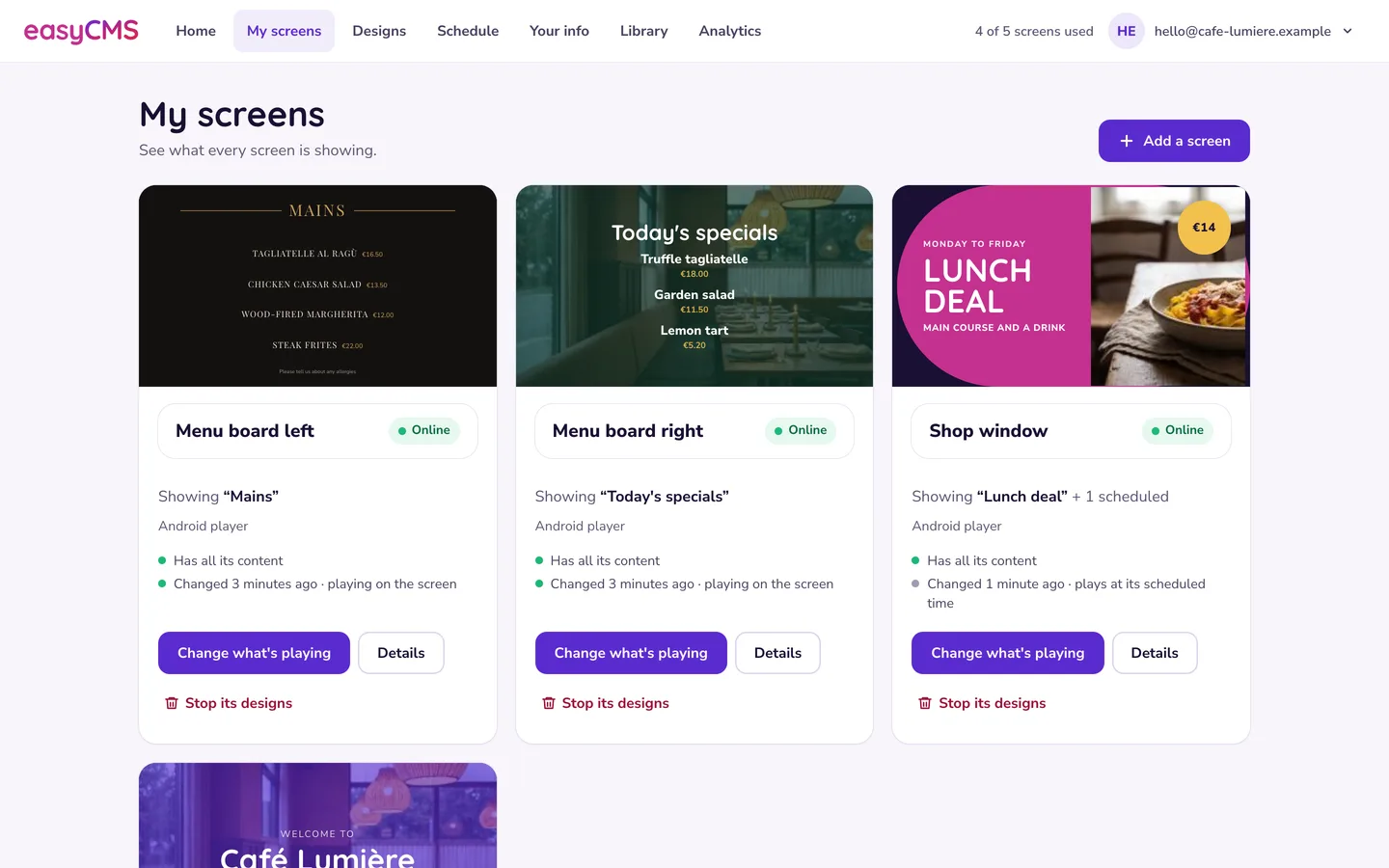
Moving off a per-screen subscription is mostly a content project, not a technical one. Your media files will come across because you can download and re-upload them. Your layouts and schedules almost certainly will not, so budget to rebuild them. And the single most important step happens before you cancel anything: get your media library out while you still have an account.
Here is the whole playbook, in the order you should actually do it.
Start with an inventory, not an export
Before you touch either system, write down what you have. Twenty minutes with a spreadsheet saves a week of confusion later.
Per screen, record:
- Where it is, and who notices when it breaks
- Display make, model, size and orientation, portrait or landscape
- Resolution you are actually running at
- What drives it: an Android box, a Windows mini-PC, or a player built into the panel
- How it connects: wired ethernet, Wi-Fi, or a mobile connection
Then, inside your current CMS:
- How many layouts are genuinely in rotation, not how many exist
- Playlists, and whether any of them are tag-driven rather than hand-built
- Total media file count and total size in megabytes, because this decides which easyCMS tier you need
- Every schedule, including anything that changes by time of day or day of week
- Every live data source: RSS feeds, an iCal calendar URL, an embedded web page, a dashboard, a spreadsheet feeding a table
- Who logs in, and what they are allowed to do
Tip Most estates rotate far fewer layouts than they own. Count only what has actually played in the last 90 days. That shorter list is your rebuild list, and it is usually a third of what you feared.
Export your media before you cancel anything
A cancelled subscription usually takes the library with it. Some platforms keep your account readable for a grace period, some do not, and the date it stops being readable is rarely the date you expect. Treat the library as gone the moment the last payment lapses, and work backwards from there.
Download everything: images, video, audio, PDFs, fonts. Put it in a folder structure that mirrors how you want it organised in easyCMS, because you will re-upload from that folder.
Where you still have the original files, use those instead. Most platforms compress or transcode on upload, so the copy in your current CMS is often a generation worse than the file your designer produced. Pull from the shared drive and treat the CMS download as your backup of last resort.
Two more things to collect while you still have access:
Screenshots of every layout in rotation. Full screen, one per layout. This is your rebuild reference, and it beats a written description of where the logo sits.
Any reporting you need to keep. Proof-of-play history and audience reports stay with the old vendor. If you have to prove to an advertiser what played in March, export it now.
Watch out Do not plan on logging back in after the subscription lapses to fetch one file you missed. Assume you get one pass at this.
Check your total library size against the storage you are buying: 1GB on the 49€ account, 5GB on PRO, 20GB on Enterprise. That is a real constraint and worth being blunt about. Yodeck advertises unlimited storage even on its free plan, checked September 2026, so if your library is 30GB of video then easyCMS storage is a genuine downgrade you have to plan around. There is a longer treatment in digital signage storage requirements, and the practical rules are in storage quota and media uploads.
What comes with you, and what does not
| Asset | Moves across? | What to do about it |
|---|---|---|
| Images, video, audio, PDFs | Yes, by download and re-upload | Rebuild the folder structure as you go |
| Layout designs | No | Rebuild from screenshots |
| Playlists | No | Rebuild, quick once the media is in |
| Schedules and dayparting | No | Rebuild from your inventory notes |
| RSS, iCal and web page sources | Yes, they are just URLs | Copy the URLs into a text file now |
| Spreadsheet or tabular data | Yes, as CSV into a DataSet | Export the sheet before you cancel |
| Users and permissions | No | Recreate; multiple users are Enterprise only |
| Proof-of-play history | No | Export the reports you need to keep |
| Display licences | No | Buy new ones, one per screen |
| Player hardware | Depends on the platform | See the next section |
The uncomfortable line in that table is the layouts. We know of no interchange format for signage designs: no platform we have seen publishes one or imports a competitor’s layout file, and where a vendor describes migration as automatic, it is usually the media library they mean. Plan for a rebuild and you will be surprised how fast it goes. Plan for an import and you will lose a fortnight.
A realistic rebuild budget, from estates we have helped move: roughly an hour for a straightforward full-screen image and video rotation, and up to half a day for a multi-zone layout with a live region, a ticker and a clock. Multiply by your 90-day layout count, not your total.
Can you keep your player hardware?
Often yes, and it is the biggest single saving in the whole exercise.
| What is driving the screen now | Reusable with easyCMS? | Notes |
|---|---|---|
| An Android box you bought yourself | Usually yes | Factory reset it, install the Android player, buy a display licence |
| A Windows PC or mini-PC | Yes | The player software is free, and the screen still needs its own display licence |
| A player supplied by your current vendor | Assume no until they confirm | Ask in writing whether the device is yours and whether it can be re-flashed |
| LG webOS Signage panel | Yes | Built-in player, commercial per-display licence |
| Samsung Tizen panel | Yes | Built-in player, commercial per-display licence |
| A consumer LG or Samsung TV | No | Consumer TVs are not Signage models, you need a separate player |
The vendor-supplied box is the one that catches people. Hardware that arrived free or cheap as part of a subscription is often locked to that vendor’s image, and sometimes leased rather than sold. Ask early and get the answer in writing, because if it is no, replacement hardware belongs in your migration budget rather than in a surprise six weeks in.
Licences are 99€ each, one per screen, lifetime, and the 49€ account includes the first one. Buy the extra licences in the same order as the account and they are 66€ each instead, a flat third off applied automatically at checkout with no code to enter. That only works when the account and the licences go through checkout together, so decide how many screens you are migrating before you buy, not after. On Enterprise the licence price depends on what the screen runs: Android, LG webOS and Samsung Tizen displays are 49€ each, because those players carry a commercial licence easyCMS buys in, and Windows and Linux displays carry no licence charge at all. Which player suits which site is covered in players for easyCMS, and the setup guides are per platform: Android, Windows and LG webOS.
Do the widget check in week one
This is the step people skip, and it is the only one that can genuinely stop a migration.
Go through your inventory of live sources and confirm each one has a home in easyCMS before you commit. Most do: images, video, rich text, clocks, countdown, weather, an iCal calendar feed, an RSS ticker, embedded web pages, PDFs, menu boards, stocks and currencies, HLS streams, interactive zones.
Some do not, and we would rather you knew now:
- There is no Twitter or X widget. The engine removed it and Mastodon replaces it.
- There is no charts widget. If your current screen renders a bar chart natively, you will need it as an image, a web page or a dashboard embed.
- There is no Google Calendar connector. The Calendar widget takes an iCal feed URL, which most calendar systems can produce.
- There is no app marketplace and no template gallery. Layout templates exist, but if you chose your current platform for its app library, that is a real loss.
Watch out If a screen that matters depends on something in that second list, find out in week one, not the week you planned to cancel.
Rebuild in this order
Media library first, then layouts, then playlists, then the schedule. Working in that order means you never have to go back and re-point something.
- Recreate your folder structure and upload the media. Folders in the library map to how your team thinks about content. See playlists and the media library.
- Build one layout properly. Get the zones, fonts, colours and timings right on your single most important layout before you build the other twelve. Guide: creating layouts. If artwork needs resizing for a new aspect ratio, export it from whatever design tool you already use at the exact pixel size of the zone it plays in.
- Build playlists. Where content changes often, use tag-based playlists so new media joins a rotation automatically instead of by hand.
- Move tabular content into a DataSet. Price lists, room bookings, staff rotas and anything that lives in a spreadsheet. Import the CSV you exported earlier: dynamic content with DataSets.
- Rebuild the schedule last, including dayparting and any always-on default. See scheduling content and timezones and dayparting.
Provisioning players and claiming displays
Install the player for your platform, and it shows a code. That code is what links the device to your account.
You can claim a screen yourself at /add-display/, which authorises it and attaches a licence without waiting for anyone. The full walkthrough is in adding a new display, and the licensing rules are in display licences and authorisation.
On the network side there is nothing to open. Players pull their content and accept no inbound connections, and player traffic to the CMS runs over an encrypted connection. If your IT team asks, send them network requirements.
Once a screen is live, use display monitoring to confirm it: check the last check-in time, then request an on-demand screenshot. That screenshot is how you prove the cutover worked without driving to the site.
Run both systems in parallel, and expect to pay for both
Do not cut over everything on one evening. Run the old subscription and easyCMS side by side while you rebuild, then move screens across in batches.
The practical method: pick one screen you care about and rebuild it fully in easyCMS. Put a spare Android box on a second HDMI input if you can, so you can flick between old and new and compare them honestly. Leave every other screen untouched. When you are happy, move the next batch.
There is no free trial and no free plan at easyCMS, so the overlap costs you money on both sides. Here is what one extra month of your current subscription costs while you cut over, using vendors’ own list prices checked September 2026, quoted as printed and not converted:
| Current plan, per screen per month | 5 screens | 10 screens | 25 screens |
|---|---|---|---|
| Yodeck Basic, $8 / €8 | $40 / €40 | $80 / €80 | $200 / €200 |
| OptiSigns Standard, $10 | $50 | $100 | $250 |
| TelemetryTV Core, $13 | $65 | $130 | $325 |
| ScreenCloud Core, $20 billed annually | $100 | $200 | $500 |
Four to six weeks of overlap on a ten-screen estate is somewhere between 80 and 300 in your billing currency. Set against a rebuild you do once and keep forever, that is cheap insurance against a week of dark screens. Do not compress the cutover to save it.
Timing the cancellation
Work backwards from your renewal date, not forwards from today.
| Time before renewal | What you do |
|---|---|
| 8 weeks | Inventory, export all media, export reports, collect feed URLs, ask about hardware |
| 6 weeks | Buy the account and all the licences in one order, upload media, build your first layout |
| 4 weeks | Rebuild remaining layouts, playlists and the schedule |
| 3 weeks | Cut over the first batch of screens, run both systems in parallel |
| 1 week | Move the last screens, final check that nothing is left in the old library |
| 3 days | Cancel, and confirm in writing that it is cancelled |
Two details that cost people money:
If you are on annual billing, you have already paid. There is normally no refund for the unused part of the term, so run to the end of it. Cancelling in month four of twelve buys you nothing except a shorter deadline.
Do not cancel on the renewal date itself. Auto-renewals can charge in the early hours, and some plans require notice before the renewal date rather than on it. Read the notice period, put the date in a shared diary, and act several days early.
The checklist before you cancel
- Every media file downloaded and verified as openable, not just listed
- Original artwork located and stored somewhere you control
- Screenshots of every layout in rotation
- All feed URLs, iCal links and embedded page addresses saved in a text file
- Spreadsheets and tabular data exported to CSV
- Proof-of-play and audience reports exported if you need the history
- Every screen live in easyCMS and confirmed by an on-demand screenshot
- Schedule tested across a full week, including anything that only runs at weekends
- Vendor confirmation on whether their hardware is yours to keep
- Notice period read, cancellation date diarised, cancellation confirmed in writing
What it costs, and when it pays back
The point of the exercise is that the line goes flat. Ten screens on a €8 per screen per month plan, the rate Yodeck lists for Basic (checked September 2026), cost €960 a year for as long as those screens are on the wall: €2,880 by the end of year three, €4,800 by the end of year five, with nothing owned at the end of it. The same ten screens on easyCMS cost 893€ once and nothing after that, so by year five you are 3,907€ ahead and the gap widens every month you keep the screens running.
Break-even against that same €8 rate, with the account and the licences bought in one order:
| Estate | easyCMS, one-time | Break-even | Five-year saving |
|---|---|---|---|
| 1 screen | 49€ account, first licence included | About 6 months | 431€ |
| 5 screens | 49€ + 4 × 66€ = 313€ | About 8 months | 2,087€ |
| 10 screens | 299€ PRO + 9 × 66€ = 893€ | About 11 months | 3,907€ |
| 25 screens | 299€ PRO + 24 × 66€ = 1,883€ | About 9 months | 10,117€ |
The extra licences are 66€ rather than 99€ there because they go through checkout in the same order as the account, which is what someone migrating an existing estate does anyway. Added later they are 99€ each, so the same networks come to 445€ at five screens, 1,190€ at ten and 2,675€ at twenty-five, and break-even moves out to about 11, 15 and 13 months.
Note the shape of that: the PRO fee is the same whether you run 10 screens or 25, so a fuller PRO account pays back sooner than a half-empty one.
Now the honest part. All of that money leaves on day one, and with no free plan and no free trial there is nothing to soften it. If you buy the account now and add screens later at 99€ each, year one costs you more than staying put on the larger estates: 1,190€ against €960 for a year of the subscription at ten screens, and 2,675€ against €2,400 at twenty-five. And €8 is not the cheapest rate on the market. Xibo lists Cloud Professional at €4.40 per display per month, checked September 2026, and measured against that a ten-screen easyCMS network takes about 20 months to pay for itself rather than 11. The saving still arrives, and once it does it never stops. The five-year arithmetic is worked through in digital signage cost per screen and the tier-by-tier comparison in digital signage with no monthly fee.
When you should not switch
Three cases where staying put is the right answer.
You are on a free tier that works. Yodeck gives one screen free forever, and OptiSigns gives up to three free with their logo on screen and community support only, both checked September 2026. If neither the logo nor the screen limit bothers you, switching costs you 49€ and a weekend to replace something that costs nothing.
You have many screens in one building on an unlimited site plan. Rise Vision lists $1,399 per school per year for unlimited displays on its own pricing page, checked September 2026. At forty screens in one school that beats us and we are not going to argue with the arithmetic.
The deployment is short. A pop-up, an exhibition, a seasonal activation. Rent it monthly, do not buy licences you will use for six weeks.
Where the help comes from
The assistant, the guides and the FAQ are free to everyone, and an Expert Support Hour is 25€ when you want an engineer on your own setup. That week is worth more when you are actively building.
If you would rather have the rebuild done with you, the Expert Support Hour is 25€ for up to an hour of hands-on work by an engineer, a written diagnosis and a fixed quote approved before anything further. Urgent requests start the same working day, and the fee is refunded if the root cause turns out to be a bug in easyCMS. The free options, including the AI assistant and 25 written guides, are listed in getting help and support options.
Related reading: digital signage cost per screen, digital signage with no monthly fee compared, and connecting your first display.